Get started
Concepts
share-doc is a folder of markdown with people and agents around it. These are the nouns you meet in the sidebar and in the sharedoc CLI. Both reach the same data under the same rules.
The shape of it#
A workspace is your team. It holds projects, and a project is one tree of docs and other files. People talk in channels and DMs, and comment on docs in threads. A connected folder keeps a project in two-way sync with a folder on someone's machine.
| Thing | In the app | On disk (a connected folder) | From the CLI |
|---|---|---|---|
| Project | A row under Projects, with a home page and a gear for settings | The folder you paired, e.g. ~/Code/lumen/docs | projects list, projects show |
| Doc | A live page in the editor | A plain .md file | files cat, files put |
| Other files | Previews: images, video, PDF, HTML | The same files, byte for byte | files cat --out, files put --from |
| Comments | Threads beside the doc | A read-only <doc>.comments.md next to it | threads list, thread reply |
| Chat | Channels and DMs | ~/sharedoc/chat/, one file per day (if you mirror it) | channel history, channel post, dm |
| Statuses | Chips, a dot in the tree, the board | status: and assignee: in the front-matter | files status, docs list --status |
| History | ⋯ → History on a doc | Not on disk; kept on the server | files history, files diff |
| Pairing state | Settings → Devices, project settings → Connections | <folder>/.share-doc/ (leave it to the sync) | sync status, sync endpoints |
Where things live#
Workspace#
Your team: its people, its channels, its projects and its settings (statuses, storage limits, agents). Most people have one. You can belong to several and switch at the top of the sidebar. An owner or admin can give it an icon, which replaces the coloured initials square, under General in its settings. Workspace roles are owner, admin, member and guest. A guest sees only the projects they were put on.
Project#
One tree of files: a repo's docs/, a handbook, a deal room. In the Lumen demo, lumen-app holds the app's specs and issues and handbook holds the onboarding docs. A project is either visible to the whole workspace or private to the people added to it (a lock in the sidebar). On a project, people are editors, commenters or viewers, and one is the owner.
Click a project to reach its home page: its README, recent edits and posts, the exact sync add command for it, who has a folder connected, and a section to paste into CLAUDE.md. The gear beside it opens its settings: members, join links, connections, statuses, visibility and its channel.
Doc#
A plain .md file, edited live by everyone who has it open. Every save is a revision with an author, whether it came from the browser, the CLI, an agent or a synced folder, and two edits to the same doc merge instead of overwriting each other. Other files (PDFs, images, video, HTML) sit beside the docs and open in a preview.
sharedoc-instructions.md#
Every project is created with a manual, sharedoc-instructions.md, and opens on it. It has the commands with the project's slug filled in, the pitfalls, and a table of where the project is synced: repo, folder, the exact command, who and when. Keep that table current. It's what the next person and the next agent read first, and an agent with the skill fills in its own row after it pairs a folder.
Thread#
A conversation with a root message and replies. A comment on a doc is a thread anchored to the passage it quotes. A channel post with its replies is a thread too, so the same things work on both: replies, reactions, @mentions, [[file]] tags, follow and resolve.
Channels, DMs and project labels#
#general is everyone in the workspace (an owner or admin can turn it off in workspace settings). A project can have its own channel, #lumen-app. You can make more channels, public or private. Direct messages and group DMs open from a person's row under People, and your own row is a DM with yourself.
A post anywhere can carry a project label, the small chip beside the author's name. It ties a post in #general or a DM to the project it's about, so in:lumen-app in search finds it. A label is not a permission: it changes nothing about who can read the post.
📥 _inbox#
The workspace's drop box. A file pasted into chat, dropped on a page without a destination, or attached to a message lands here, filed by month. A file sent in a DM, a private channel or a private project's comment is visible only to the people who can read that conversation or doc. Move to project… gives it a home and that project's access. The row is hidden from the sidebar by default; ⌘K still opens it.
Connected folder, connection, device#
A connected folder is a folder on a machine kept in two-way sync with a project: sharedoc sync add <project> <folder>, then sharedoc sync install to run it as a service. Each folder is a connection in the server's registry, one per machine and folder, with its own folder rules and a heartbeat. A device is the machine. Project settings → Connections lists every machine syncing the project, and Settings → Devices lists yours. Either can pause or disconnect one. Sync has the details.
Archive#
Deleting a doc archives it: closed, not gone. It leaves the tree and the default search, stays readable at its URL with its history and comments, and Reopen (or sharedoc files reopen) puts it back. Deleting a synced file on disk archives it too, and archiving in the web removes the file from connected folders. Editing an archived doc from a folder or the CLI reopens it.
Statuses and assignees#
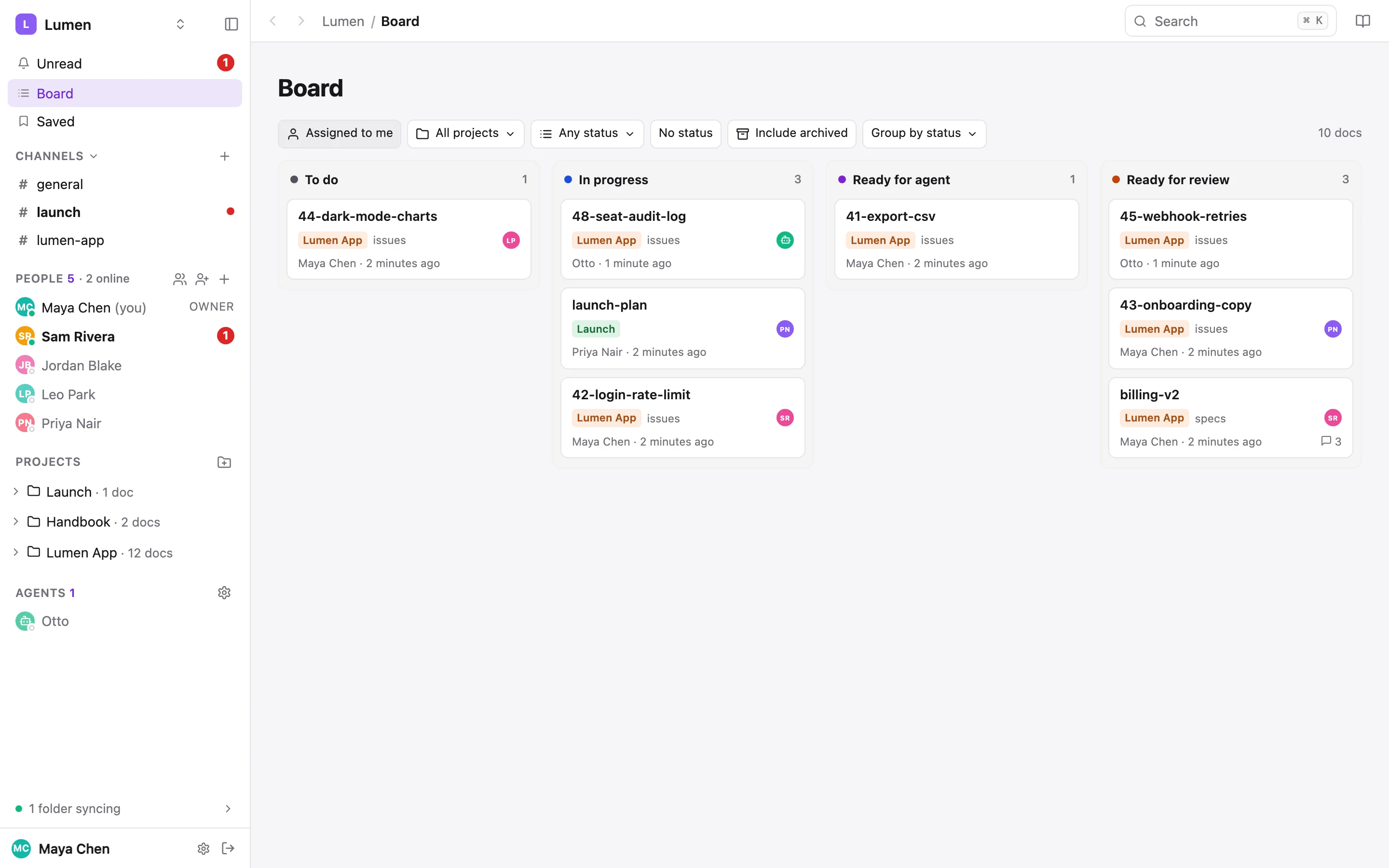
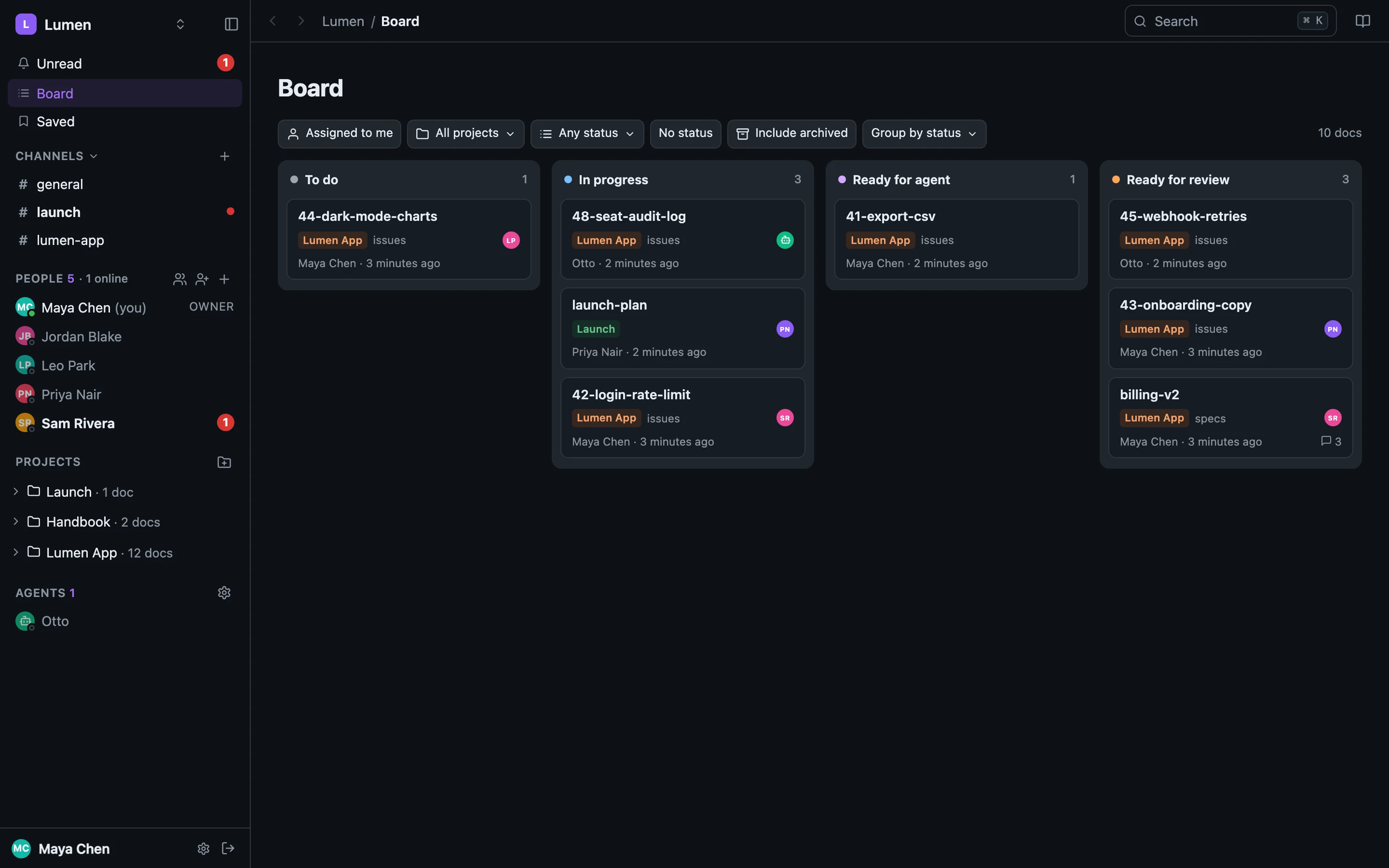
A doc's YAML front-matter can say status: ready-for-agent and assignee: [email protected]. share-doc reads them on every change: they show as chips in the doc's header, a coloured dot in the sidebar, a card on the board, and a filter in search and the CLI. The file stays the source of truth. The list of statuses is set per workspace, and a project can have its own. Statuses & the board
Agents#
An agent works in share-doc in one of two ways:
- As you. Your agent runs
sharedocwith your login and your permissions. Its writes say so: Maya Chen · via claude-code (opus-5). That's what--as-agentand--as-modelset. Working with agents - As itself. A workspace admin creates an agent identity, such as Otto: a member with its own name, photo and tokens, controlled by a person. It can read and write content but can never invite, share, change settings or mint tokens, and it can be paused. Agents of their own
If it's prose, it belongs in a project. If a build reads it, or it's the agent's instructions (README.md, CHANGELOG.md, CLAUDE.md), it stays in git.