Guides
Share a folder
Some folders just need to be seen: a client's brief, a brand board, a deal room. sharedoc share turns a folder into a project and a join link in one command. Whoever opens the link is in, sees that project and nothing else, and can read, comment or edit it in the browser.
One command#
sharedoc share ~/clients/acme-briefIt does four things, in order:
- Creates a project named after the folder (
--nameto pick another). - Pushes the folder's contents once, with the same preview and skips as a first sync.
- Mints a join link: editor, valid for 7 days, unless you say otherwise.
- Prints the link.
With several workspaces it asks which one on a terminal; pass --workspace to skip the question (it's required under --json). It refuses a folder that's already paired, and a git repository root unless you pass --force. For a repo, share its docs/ instead.
Options#
| Flag | What it does |
|---|---|
--role editor|commenter|viewer | What the link grants. Default editor. |
--expires 24h|7d|30d|never | How long the link works. Default 7d. People who already joined stay. |
--label | A label on the link, so you can tell links apart later. |
--private | Members only: the rest of your workspace can't open the project. |
--no-channel | No chat channel for the project. |
--sync | Also add the folder to your sync set, so it keeps syncing (sharedoc sync install runs it). |
--slug, --if-not-exists | A stable slug, so an unattended retry reuses the project rather than making another. |
sharedoc share ./brand-board --role viewer --expires 30d --sync
sharedoc share ~/deals/acme --name "Acme diligence" --private --workspace lumen --json
If it's interrupted#
share saves its progress in .share-doc/share-setup.json inside the folder before the first write: the slug, the stages done, and the join link once there is one. It's a private file (mode 0600) and never syncs. --resume picks up where it stopped with the original workspace and settings, uploads again safely, and returns the saved link.
sharedoc share ./acme-docs --resume --jsonIf a link was created but the answer was lost, --resume won't mint a second one: revoke the one it names with invite revoke, then resume. Errors under --json include the stage it reached and a recovery hint.
What the other side sees#
Opening a join link signed out shows who shared what, then takes them through sign-up or login and straight back. Signed in, it joins the project and lands on its manual, sharedoc-instructions.md.
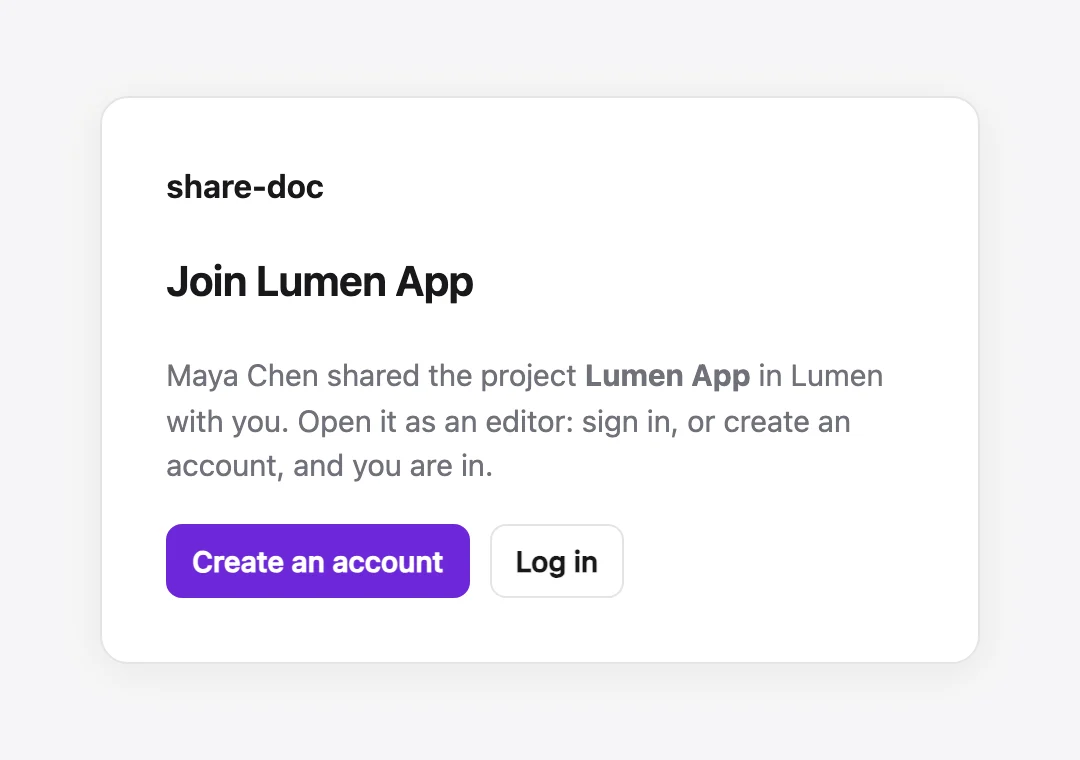
Someone new to your workspace comes in as a guest: they see that project and none of your workspace's other projects. Someone already in the workspace keeps their role.
A link for a project you already have, an invitation by email, and sharing one file or folder without adding anyone to the project are all in Sharing & permissions.