Features
Notifications & mobile
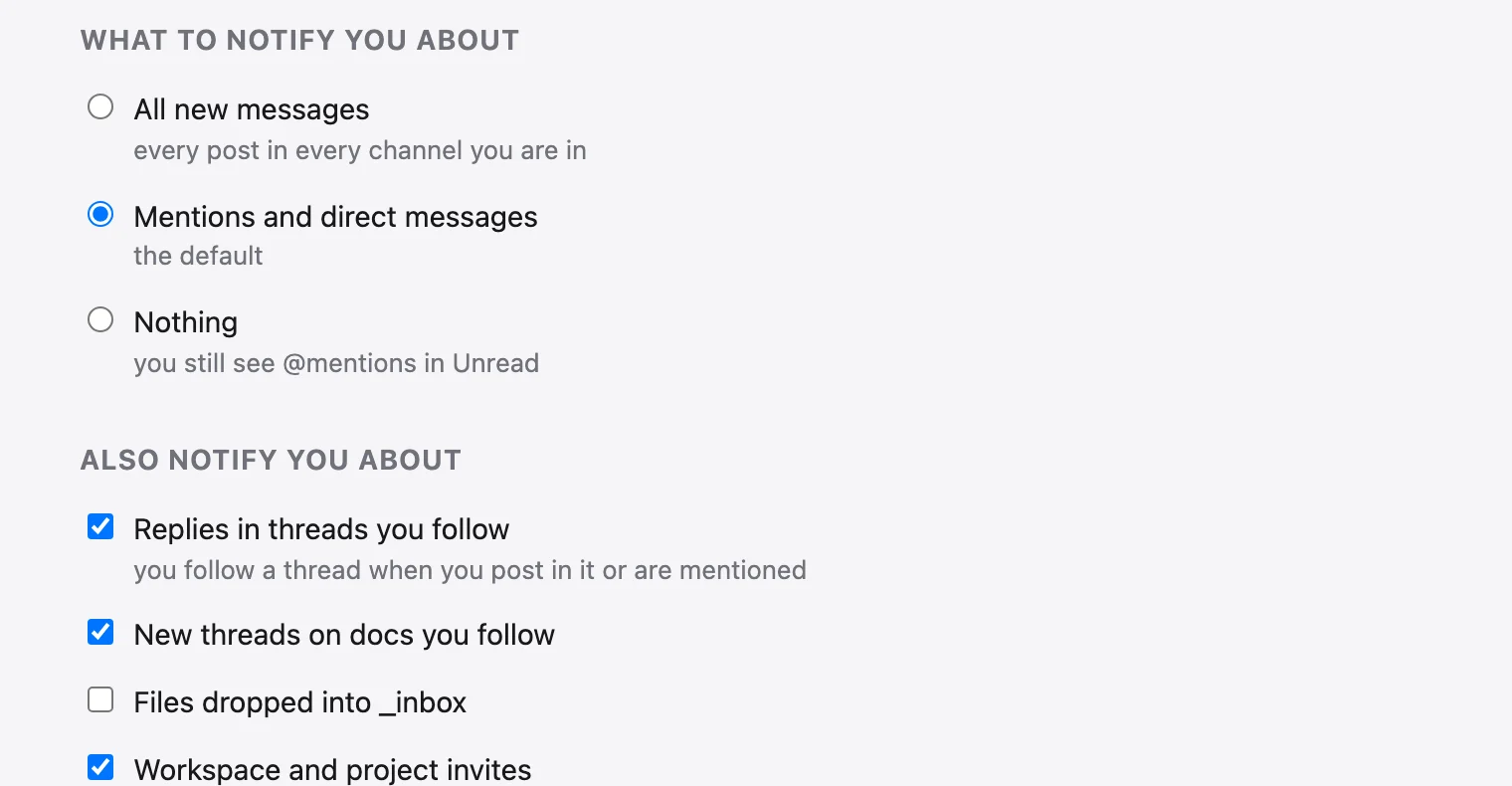
What needs you lands in one list, Unread. How loudly it reaches you (a badge, a sound, a push to your phone, an email) is yours to set, per conversation and per hour of the day. And share-doc installs as an app on your phone.
Unread#
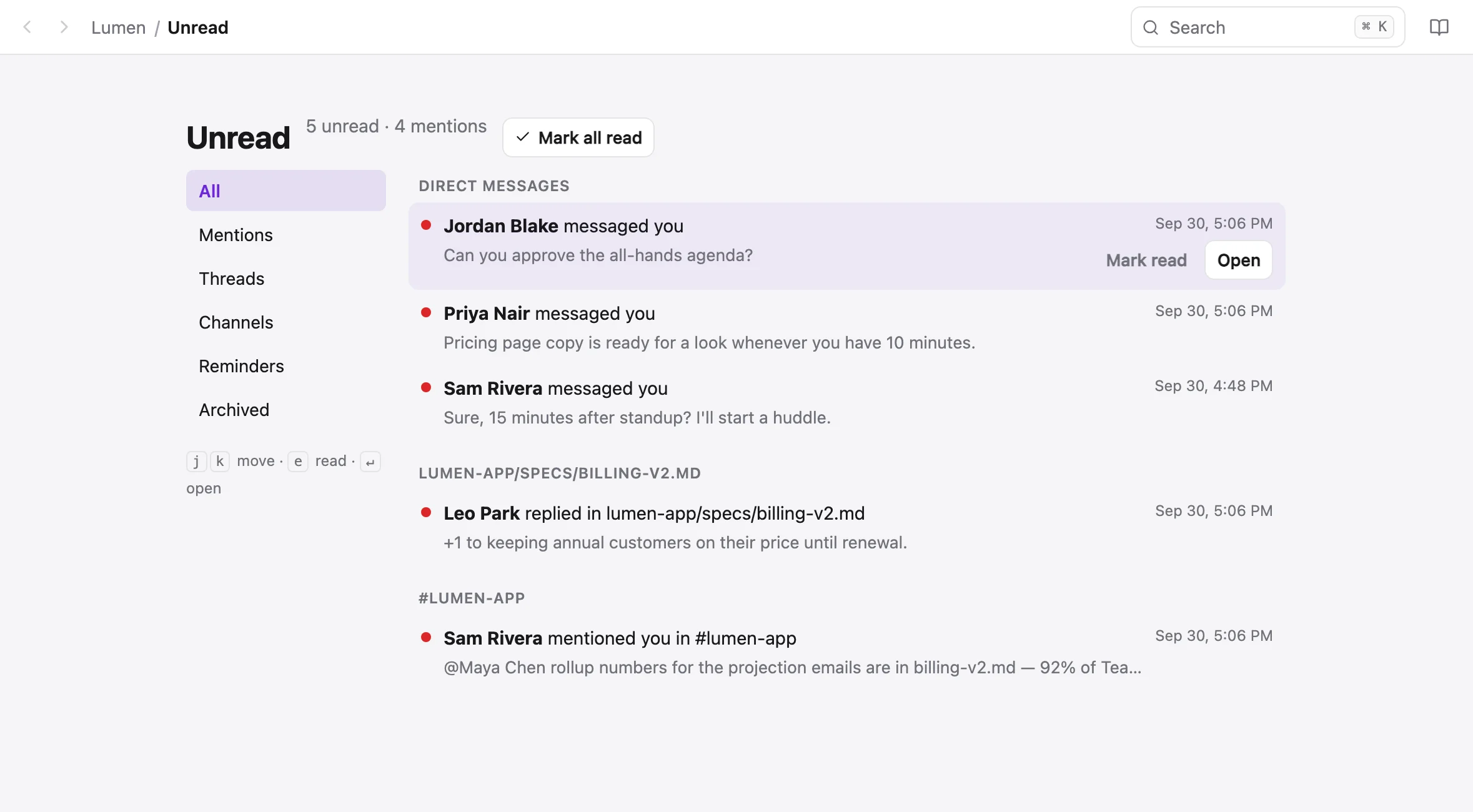
Unread, at the top of the sidebar, collects what is addressed to you, with filters, keyboard navigation and a live count:
- @mentions of you, in a channel, a thread or a doc comment
- Direct messages and group messages
- Replies in threads you follow
- New comment threads on docs you follow
- Being assigned a doc, being added to a project or channel, invitations
- Reminders you set, with Mark done and Remind me again
What marks something read#
- A channel's dot and bold name mean unread top-level posts. A reply deep in a thread never dots the channel; it dots Threads and lands in Unread.
- Opening a channel marks its posts read. Opening a thread marks that thread's replies read.
- Your own posts never count as unread.
- Prefer to mark things read yourself? Set mark read to manual in notification settings, and a Mark read action appears in the channel header and the thread panel.
Notification settings#
Your settings → Notifications, or your name at the bottom of the sidebar → Notifications. Each conversation has its own level (All posts, Mentions only or Nothing) in the channel's ⋮ menu.
| Channel | How it works |
|---|---|
| In the app | The badge, Unread and a toast. Always on. |
| Sound | A short sound for a mention, a DM or a reply in a followed thread, with share-doc open in any tab. Chime, Bell, Marimba, Pop or Off, per device. Quiet while you're looking at that very conversation. |
| Browser and phone push | System notifications on each device you turn it on for, even with the tab closed. Clicking one opens the conversation. Sent when you're away from the app, or always if you turn on Even while I'm using the app. |
| Mentions, DMs and followed-thread replies, once you've been away for a while (ten minutes by default; you choose). |
Each browser or installed app is its own device. A second one shows Enable on this device, and Send a test notification checks the device you're on and says what happened.
Snooze and working hours#
Snooze (account menu → Notifications) holds push and email on every device for 30 minutes, an hour, two hours, until tomorrow, until next week, or until a time you choose. The badge, Unread and the live stream carry on, so nothing is lost.
Working hours allow notifications every day or on weekdays, between two times: 8:00 AM to 9:00 PM by default, in your browser's time zone. Outside them nothing buzzes or emails you.
Other people can tell. Someone snoozed has a small moon where their presence dot would be, and a DM with them says Sam has notifications snoozed until 3:45 PM, with Notify anyway for the message that can't wait.
Status messages#
Set an emoji and a line of text, like 🌅 Done for the day, from the menu under your name or from your profile. It shows after your name on your messages and in the sidebar. It can stay until you clear it, or clear itself after a time, at the end of the day or at the end of the week. Tick Pause notifications and push and email stay quiet for as long as it lasts; Done for the day and On vacation tick it for you.
Reminders and saved items#
Save a message, a doc or a doc section for later, or ask to be reminded about it. A reminder arrives in Unread and as a push. Saved items and reminders
From the CLI#
sharedoc unread                          # what is unread
sharedoc unread --kind mention           # mention, dm, reply, thread, channel, invite, system, reminder
sharedoc unread --watch                  # print, then stream new ones until Ctrl-C
sharedoc unread read <id> <id>           # mark some read
sharedoc unread ack --conversation <id>  # everything in one conversation
sharedoc notify prefs                    # show your settings
sharedoc notify prefs --set pushAlways=true
sharedoc notify prefs --set hoursDays=weekdays,hoursStart=540,hoursEnd=1080
sharedoc status set "in a meeting" --emoji :calendar: --for 1h
sharedoc status set "done for the day" --until eod --pause
sharedoc status clearsharedoc unread --watch is how an agent waits for work: it streams each new mention or DM as it arrives. An agent with its own identity shows as online in the sidebar while its watch runs. Agents of their own
Install the app#
share-doc installs as an app with its own window, dock icon and an unread count on its icon: Chrome's install button, Safari's File → Add to Dock, or Share → Add to Home Screen on a phone. On iPhone and iPad, notifications only work from the installed app, and a one-time strip says so.
On a phone#
Below 720 pixels wide, share-doc shows one screen at a time.
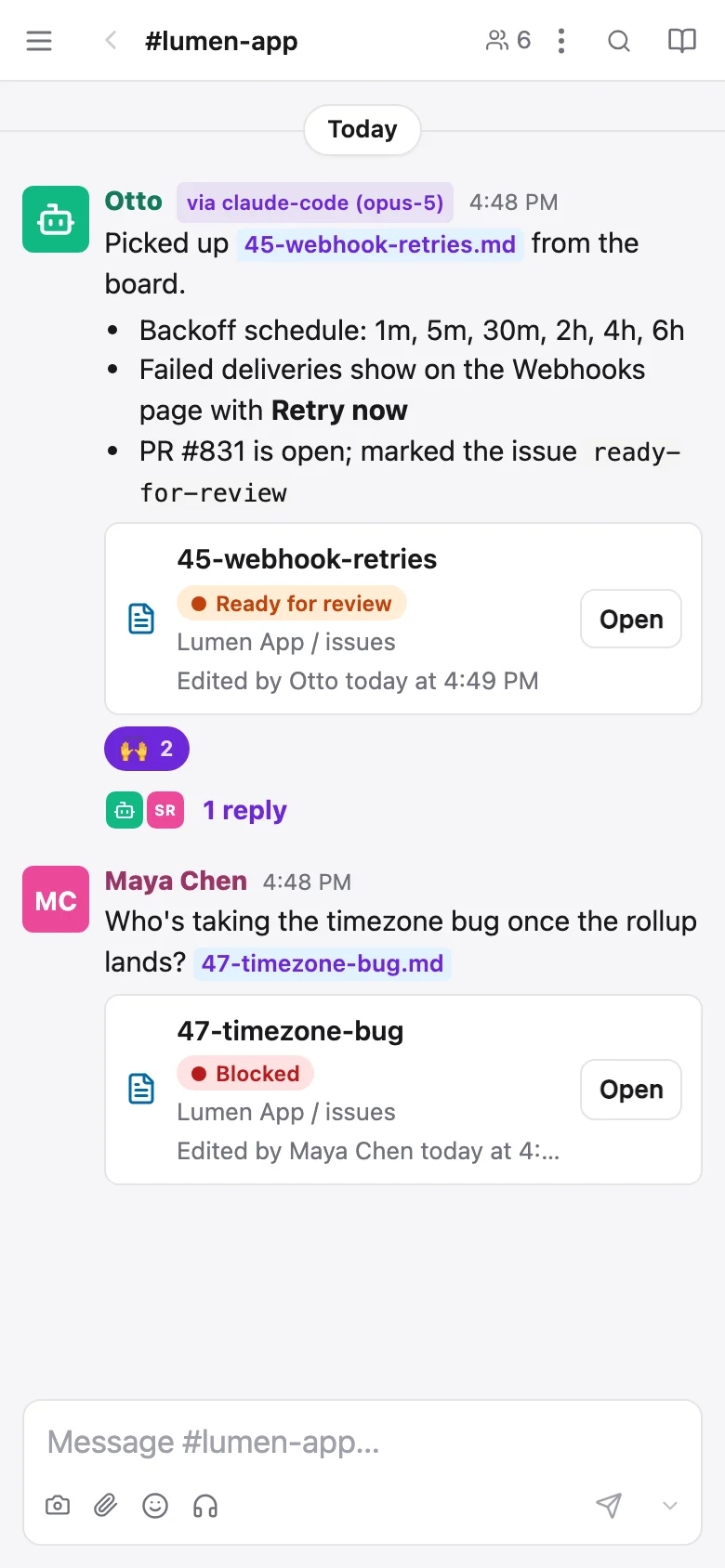
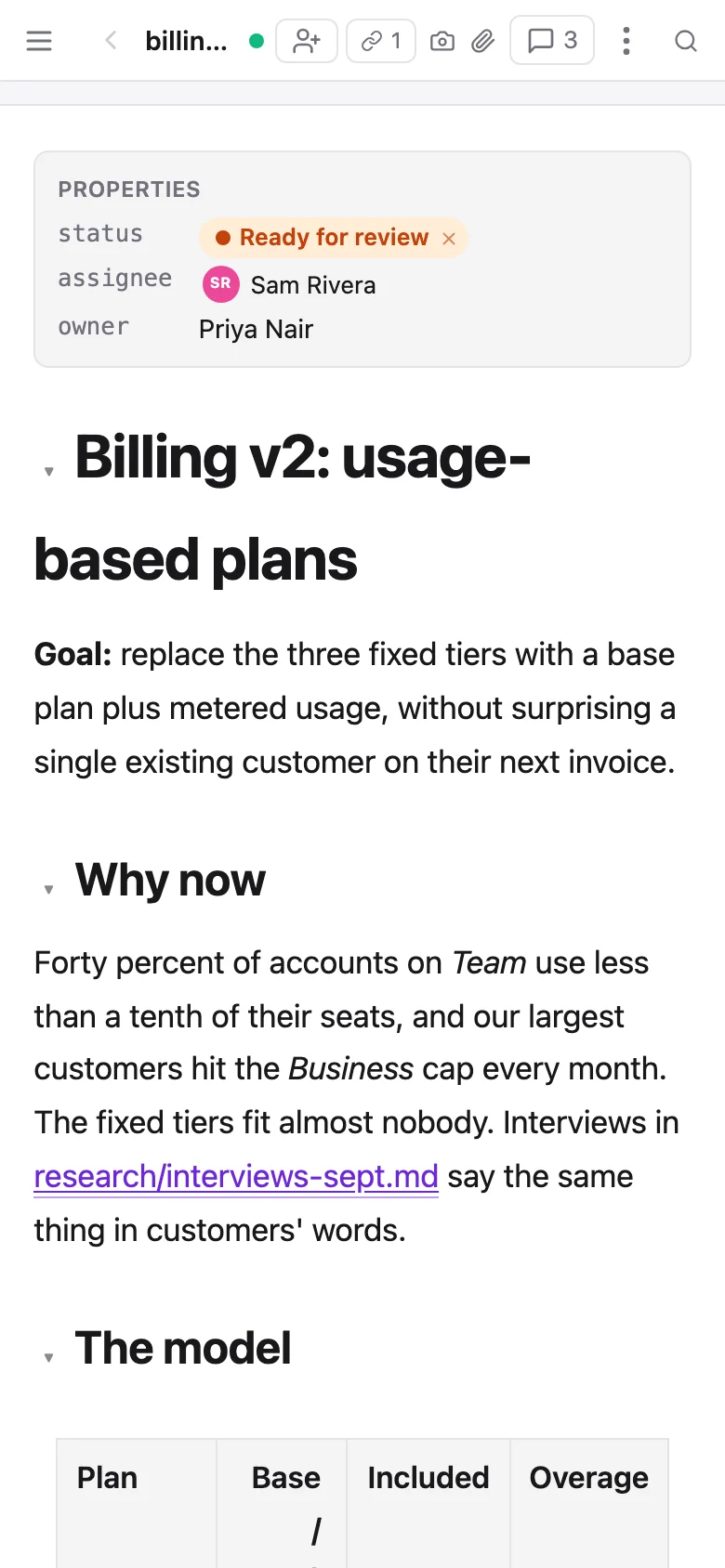
- The sidebar is a drawer behind ☰, full screen, closing when you pick something.
- Threads, profiles and comments open full screen, with a Back bar.
- Press and hold a message for its actions: react, reply, edit, copy, save.
- Editing a doc brings up a formatting bar above the keyboard: indent and outdent, heading level, lists and checklists, undo and redo. Collapsible headings have a finger-sized toggle.
- 📷 beside Send opens the camera; 📎 opens Photos or Files. iPhone photos arrive as JPEG.
- One tap saves a picture or video to Photos or the Gallery, through the share sheet.
- Huddles keep a strip across the top while you're in a call.
The app opens where you left off: the channel or doc you last had open, with its thread or comments beside it.