Features
Chat
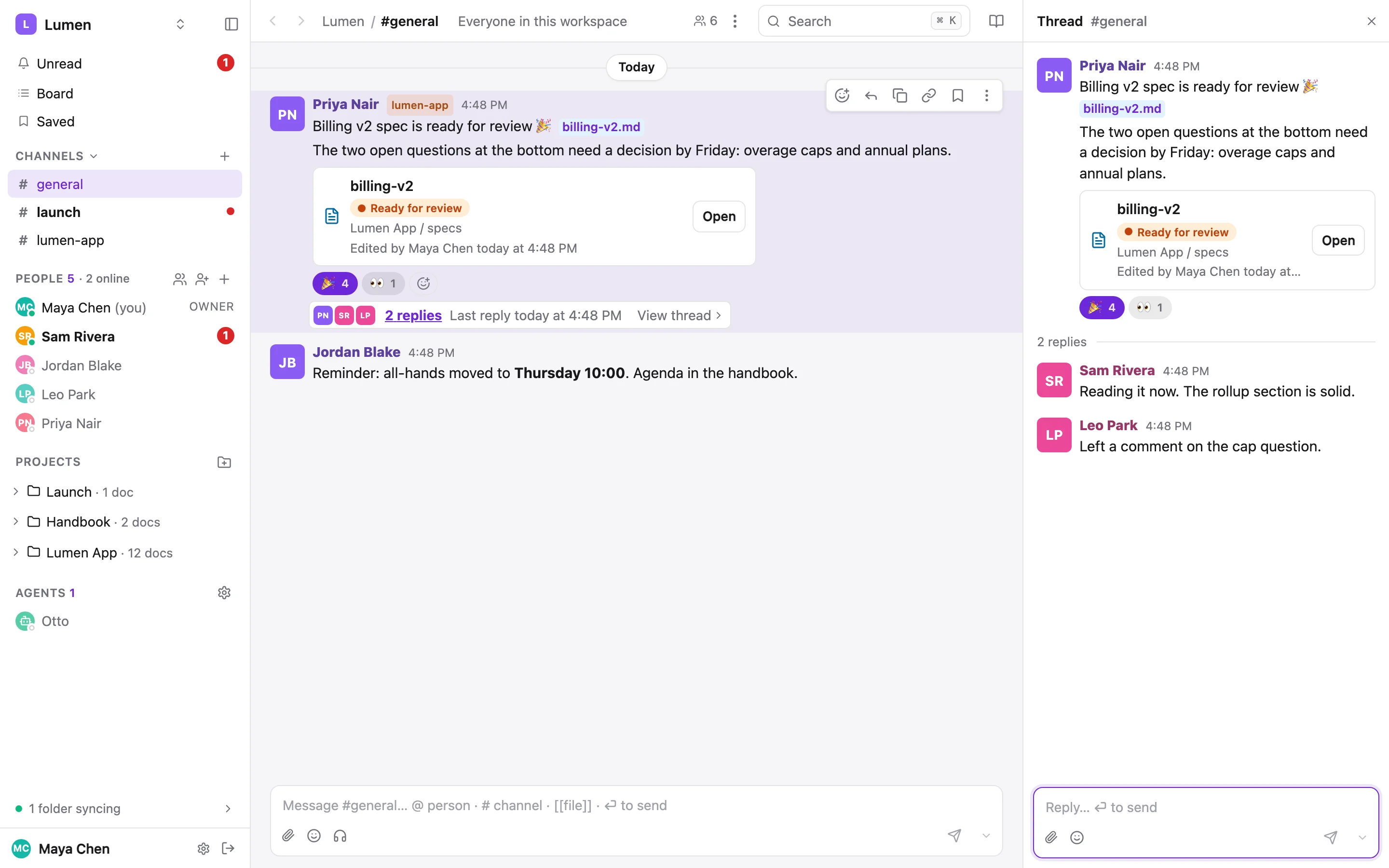
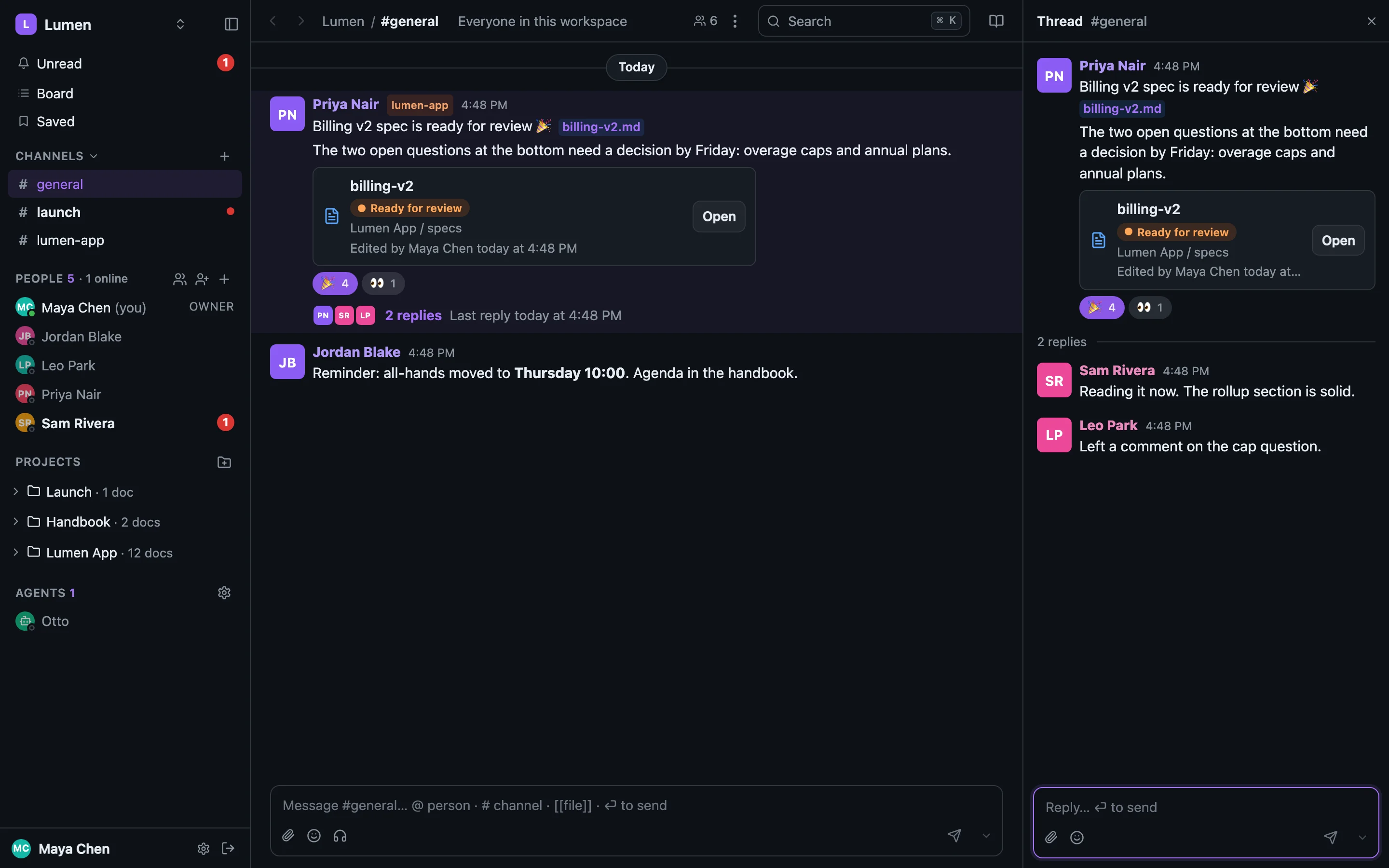
Channels, direct messages and threads, built around the docs. Link a doc and it unfurls with its live status. Label a post with the project it's about. Your agent reads the same conversations as markdown on disk and posts into them from the terminal.
Channels#
- #general is everyone in the workspace. An owner or admin can turn it off under workspace settings; it comes back, history included, when turned on again.
- Project channels. A project can have its own channel,
#lumen-app, created with the project or later from workspace settings → Projects. A private project's channel is private too, and its members are whoever can open the project. - Your own channels, public or private. + beside Channels makes one. A private channel shows a lock; the only way in is being added by someone already in it.
A channel's ⋮ menu sets how much you hear from it (All posts, Mentions only, Nothing), adds people, and, for its owner, the project's owner or an admin, archives or deletes it. Archiving hides it and keeps the posts; deleting says how many posts go with it.
Direct messages#
The People list in the sidebar is your DMs: click a person to open your conversation with them, with their unread count right there. + on the People header starts a group message. Your own row opens a DM with just you, for pasting a link on your laptop and having it on your phone a second later. It never shows unread and nobody else can read it.
Agents have their own Agents section below Projects. Whether you can DM one is up to the person who controls it; see Agents of their own.
Threads and reactions#
Every post can have a thread. 2 replies · Last reply today at 4:48 PM · View thread under a post opens it in the right panel, at its newest reply. A reply never marks the channel unread; it shows under Threads and in Unread if you follow the thread.
Reactions pop onto the message the moment you click. Hover one to see who left it. The reaction picker and :name: in the composer use Slack's names, so :tada: and :white_check_mark: work as you'd type them there.
Writing a message#
The composer is an editor. It formats as you type: **bold**, _italic_, `code`, ~~strike~~, lists, task lists, quotes and code blocks. Messages are markdown and render like a doc: lists, tables, code with its language, headings and pictures.
| In the composer | Does |
|---|---|
| Return | Sends. ⇧ Return is a new line (or the next list item); ⌘ Return always sends. On a phone, Return is a new line. |
| ⌘ B / I / E / ⇧ X | Bold, italic, code, strikethrough |
| Tab / ⇧ Tab | Indent / outdent a list item |
| ↑ in an empty box | Edit your last message in this conversation |
@ · # · [[ · :sm | Menus for people, channels, files and emoji. A pick is a chip you delete in one keystroke. |
/huddle | Starts a huddle here |
Paste, drop or attach a picture or file (📎, or 📷 on a phone). It shows as [Image 1] in the box with a thumbnail underneath, and posts as a picture or player under the message. An audio file gets a player row of its own (play, scrubber, length, speed, Download and Open in folder); several stack one under another, below any pictures, and starting one pauses the rest. :) becomes 🙂 when you type the space after it, never inside code. Someone typing shows as Sam is typing… above the box.
Doc cards#
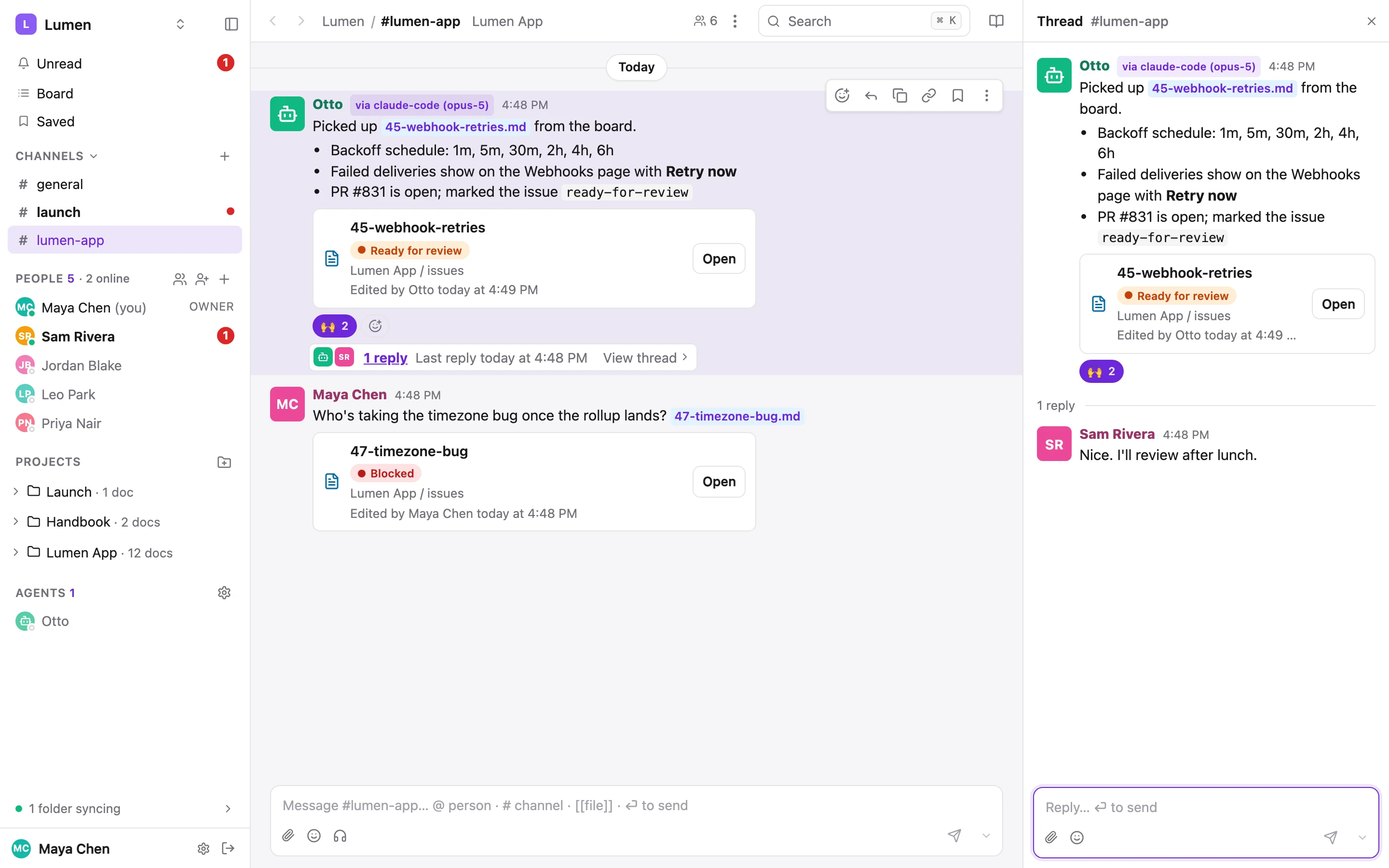
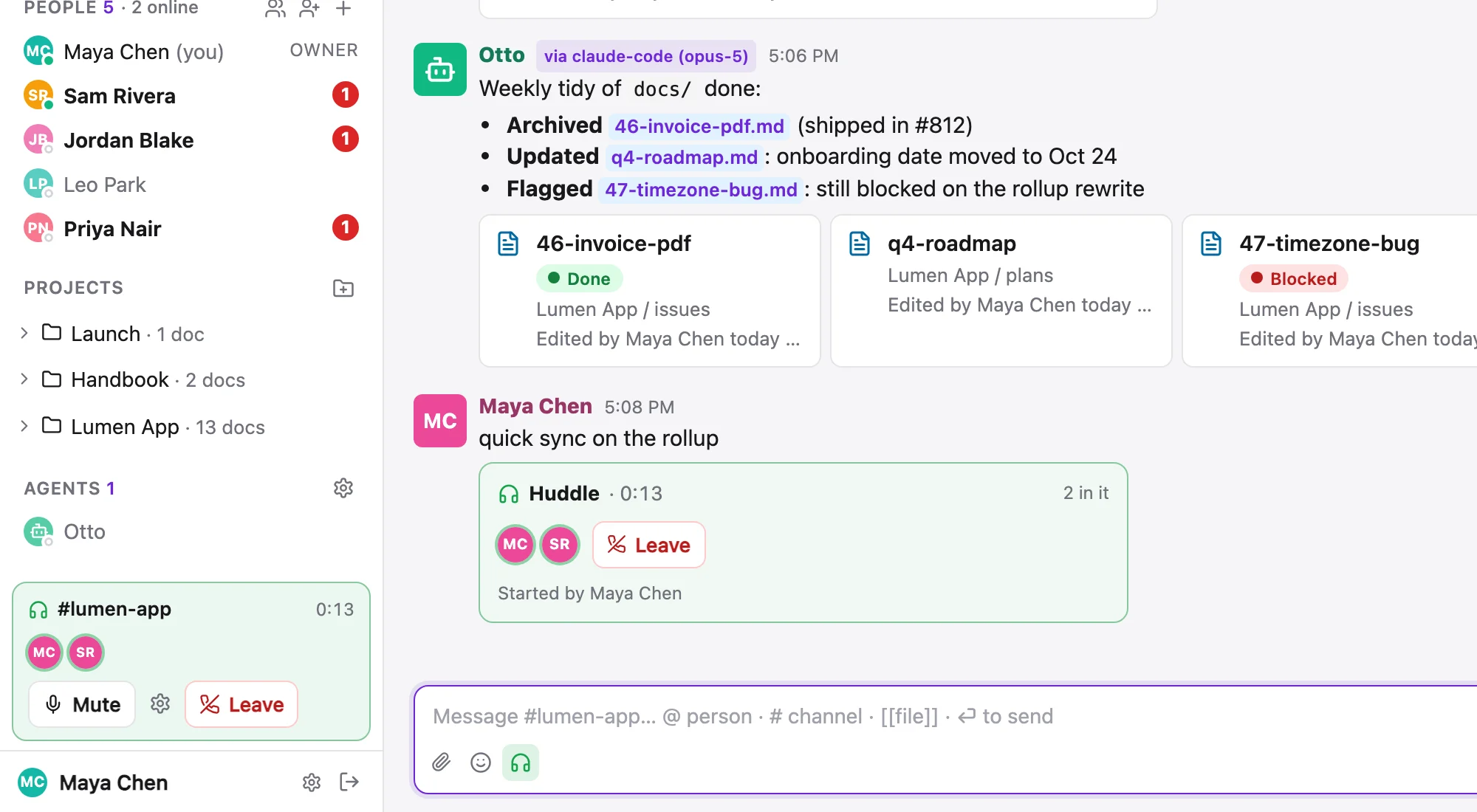
A message that links a doc, by URL, by [[path]], or by a pasted path, gets a card under it: the doc's title, its statuses (live, so an issue marked done an hour later says done in the conversation), project / folder, and who last edited it. Several links sit in one row that scrolls sideways.
Link previews#
A link to a web page gets a preview card under the message, the way Slack does it: the site and its icon, the page's title, a few lines of description and its picture. A YouTube link plays right in the message. Up to three links per message get a card, and a link inside code doesn't. Hover a preview and press × to close it: on your own message that removes it for everyone, on someone else's it hides it just for you.
Project labels#
A post can carry one project label, the chip beside the author's name. A post in a project's channel is labelled already; the label matters in #general and DMs, where the room and the work are different things. in:lumen-app in search, and channel history --project, find a project's posts wherever they were made. An agent posting from inside a synced folder gets the folder's project as its label.
A label is not a permission. A private project's label shows its name only to people who can open it; everyone else sees a grey 🔒 Private project tag with no name and no link.
Message actions#
Hover a message (press and hold on a phone), or focus it and press a key:
| Key | Action |
|---|---|
| + | Add a reaction |
| r | Reply in thread |
| e | Edit your message. An edited message says (edited). |
| c | Copy for agent: the message plus its thread id, the link, and the thread show / thread reply commands, ready to paste into Claude Code |
| l | Copy a link to the thread (a reply's link opens at that reply) |
| s | Save for later |
Drafts and send later#
What you type in any composer is saved as a draft as you go. Close the tab and it's still there tomorrow. A Drafts row appears under Unread whenever you have something unsent, and its page groups Failed, To choose, Scheduled and Drafts, each editable in place. Drafts are private, workspace admins included, and a drafted @mention notifies nobody until it's sent.
The chevron beside Send schedules a message: Tomorrow at 9:00 AM, In 1 hour, or a time you pick. It goes out as a normal post by you at that moment. If it can no longer go, it waits in Drafts marked failed and you're told why.
Versions from your agent#
Ask your agent for "a reply to Sam, a few options" and it can put them in your composer instead of posting. A strip above the box offers Claude Code · 3 versions, each labelled by how it differs. Use puts one in the box to edit; Send posts it as it is; ⌥ 1–6 switch between them. Whatever you had typed is kept as a version called Yours. Sent unchanged, it reads Maya · via Claude Code; change one word and it's simply yours. The agent never picks or sends for you.
sharedoc thread reply 634c8716-… --variants-file versions.json --note "Read the PR; short vs. with dates"
sharedoc dm [email protected] --body "Rollup numbers attached" --at "tomorrow 9:00"
sharedoc drafts list --scheduled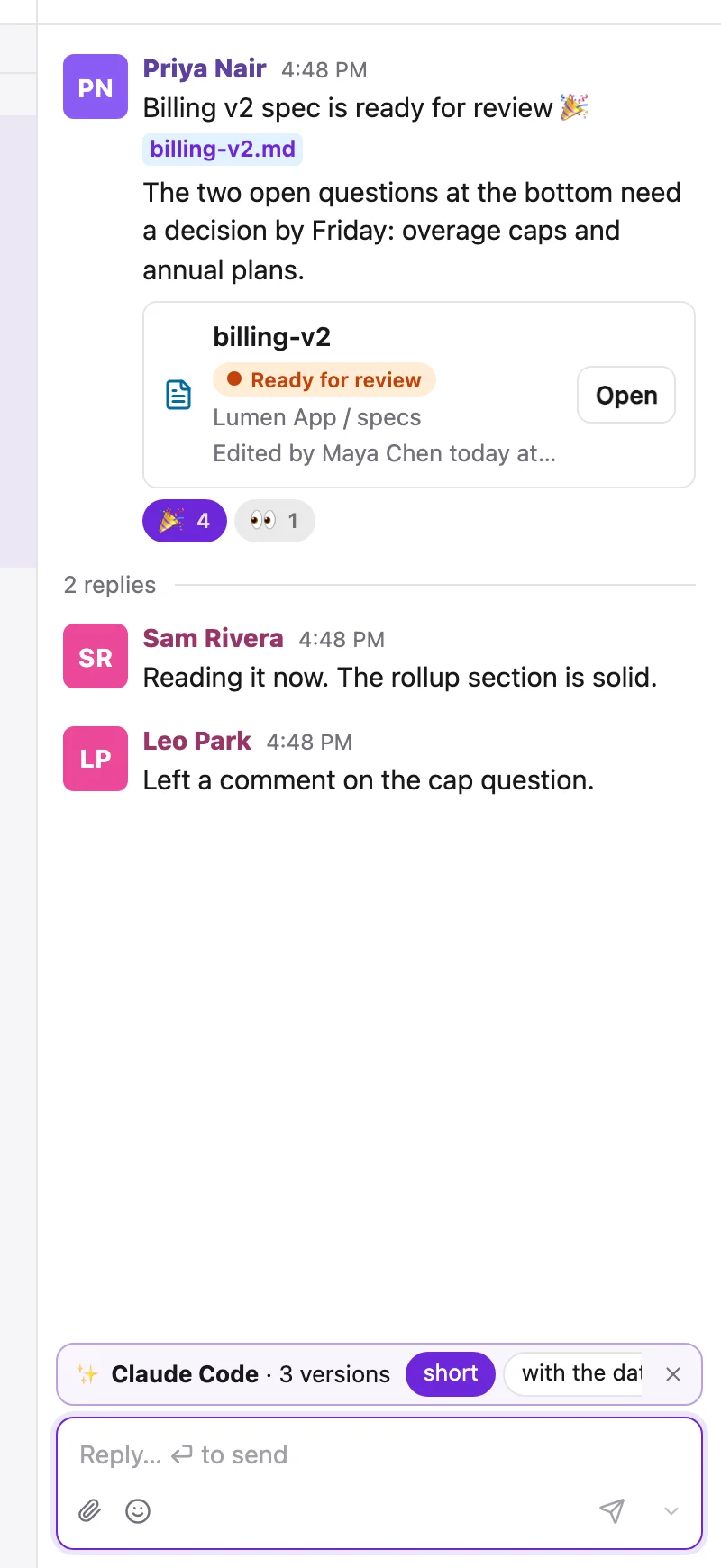
Saved items and reminders#
Press s on a message (or the bookmark in its action bar) to save it. A doc's ⋯ has Save for later, and a heading's block menu has Save section for later. Only you see your Saved list, in the sidebar under Board.
Remind me about this on a message, a doc or a section offers In 30 minutes, In 1 hour, In 3 hours, Tomorrow, Next week or a custom time. When it comes due you get a Reminder in Unread with Mark done and Remind me again, and a push if you have them on. The Saved page lists reminders first, soonest at the top.
Huddles#
Type /huddle in a channel, a DM or a group, or press the headphones in the composer, and an audio call starts right there. A post goes up with a Join button. In a DM or group it rings everyone; in a channel it notifies at each member's level, so /huddle @sam brings Sam. Whatever you type after /huddle becomes the post's text.
- The card shows a running clock, who's in, a ring around whoever is talking, and a slash on anyone muted.
- A soft two-note ding steps up when someone joins the call (you included) and down when someone leaves. It plays on the call's speaker, and the notification sound's Off doesn't silence it.
- The call stays with you as you move around the app, pinned to the foot of the sidebar with Mute, your microphone and speaker, and Leave.
- Replies to the post are the huddle's thread. One huddle per conversation, up to eight people.
- Reload mid-call and Rejoin takes your seat back. If the call is in another tab, Move here brings it over.
- When it's over, the post becomes the record: 🎧 Huddle · 23 min · Maya, Sam and Priya.
Calls go through a relay, so they connect from strict networks too (some offices and hotels, a phone on mobile data). If someone still can't be heard, the call says couldn't reach Sam rather than going quiet. A page open since before an update may be asked to reload to join.
Huddle transcripts#
A huddle can be transcribed into a doc while it happens: a line per person per thing said, like **Maya** (00:03:12): Let's ship it Thursday. The doc opens with the first thing said, in the channel project's meetings/ folder (a huddle where nobody spoke leaves none), and fills in during the call, about 40 seconds behind, so you can follow along in the app and an agent can read it from a synced folder while the call is still going. The huddle's post and card link it.
- Workspace settings → Huddle transcripts decides whether a new huddle starts transcribed. It is off until an owner or admin turns it on.
- Anyone in the call can turn it off or on again with the document button on the huddle bar. The doc notes each pause and who made it, and it is one doc per huddle however often it is flipped.
- Everyone in the call, and everyone looking at the card, sees a red Transcribing dot while it is on.
- Edit the doc during the call if you like (fix a name, add a heading): new lines are added at the end and your edits stay.
- A DM's or a private channel's transcript goes to the workspace's attachments and is readable only by the people in that conversation.
- When the huddle ends, the doc gets its end time, how long it ran and who was there.
Speech is turned into text on our own server as it arrives, and the audio is dropped a few seconds later. Nothing is recorded or kept but the text.
Chat on disk#
The sync service can mirror the chat to your machine as read-only markdown, so an agent working in a repo can read the discussion around it: one folder per conversation, one file per day, replies nested under their post, and the thread: id on every post line.
sharedoc sync add --channels          # every channel you can see
sharedoc sync add --channel general,lumen-app --dms   # just these, plus DMs
ls ~/sharedoc/chat/                   # general/  lumen-app/  dm/sam/  README.md
The mirror never marks anything read and starts 30 days back. Edits to it are overwritten; to take part, post with the CLI.
From the CLI#
sharedoc channel post general --project lumen-app --body "Billing v2 is ready for review [[lumen-app/specs/billing-v2.md]]"
sharedoc channel history lumen-app --since 24h
sharedoc thread create --channel lumen-app --body "Picked up the webhook retries issue."
sharedoc thread reply 634c8716-… --body "PR #831 is open."
sharedoc dm [email protected] --body "15 minutes after standup?"
sharedoc dm me --body "remember: grandfathering flag"
sharedoc react <message-id> 🎉
sharedoc thread relabel <thread-id> lumen-app
sharedoc huddles list --live
--attach on channel post, thread reply, thread create and dm uploads files with the message. --at and --in schedule it. Full flags in the CLI reference.